How the Korean Address System Works (Plus Tips for Taxi Apps)
If you’ve ever tried to navigate Korea using addresses, you’ve probably noticed something frustrating: the numbers don’t always make sense, buildings seem out of order, and Google Maps sometimes leads you astray. Understanding how Korean addresses work—and more importantly, how to actually use them with taxi apps—can save you genuine headaches during your trip.
The Two Address Systems: Old vs. New
Korea uses two parallel address systems, and this is the root of most confusion. The old system (지번, jibun) organized addresses by land parcel numbers assigned chronologically as areas developed. That meant building #3 might be nowhere near building #4.
In 2014, Korea officially switched to a road-name address system (도로명, doromyeong) similar to what’s used in Western countries. Now addresses follow the road you’re on, with buildings numbered sequentially based on distance from the start of the road.
Both systems are still in use today. Older Koreans often prefer the old system, while official documents and apps use the new one. This dual system explains why you might see two completely different addresses for the same location.
How to Read a Korean Road-Name Address
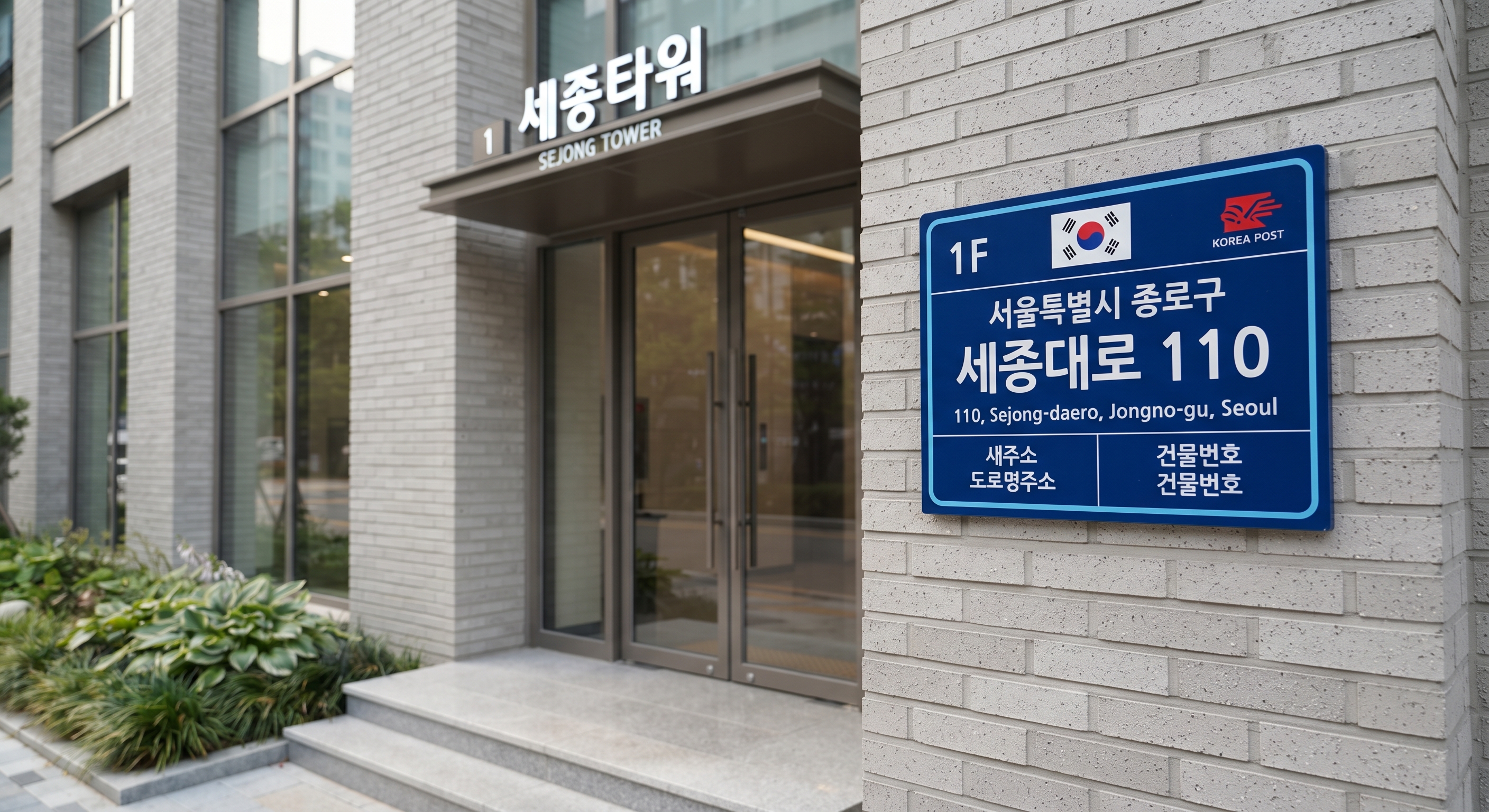
A typical road-name address looks like this:
서울특별시 강남구 테헤란로 152
(Seoul-teukbyeolsi Gangnam-gu Teheran-ro 152)
Here’s what each part means:
- 서울특별시 (Seoul-teukbyeolsi) = Seoul Special City (the metropolitan area)
- 강남구 (Gangnam-gu) = Gangnam District (gu means district)
- 테헤란로 (Teheran-ro) = Teheran Road (-ro means road; smaller streets use -gil)
- 152 = Building number (even numbers on one side, odd on the other)
Sometimes you’ll see an additional number after a hyphen (like 152-7), which indicates a sub-building or annex on the same lot.
The Building Number Logic
Building numbers increase as you move along the road. Even numbers are on one side, odd numbers on the opposite side—just like in the US or UK. The numbers are based on meters from the road’s starting point, so you might jump from 10 to 34 because there’s a park in between.
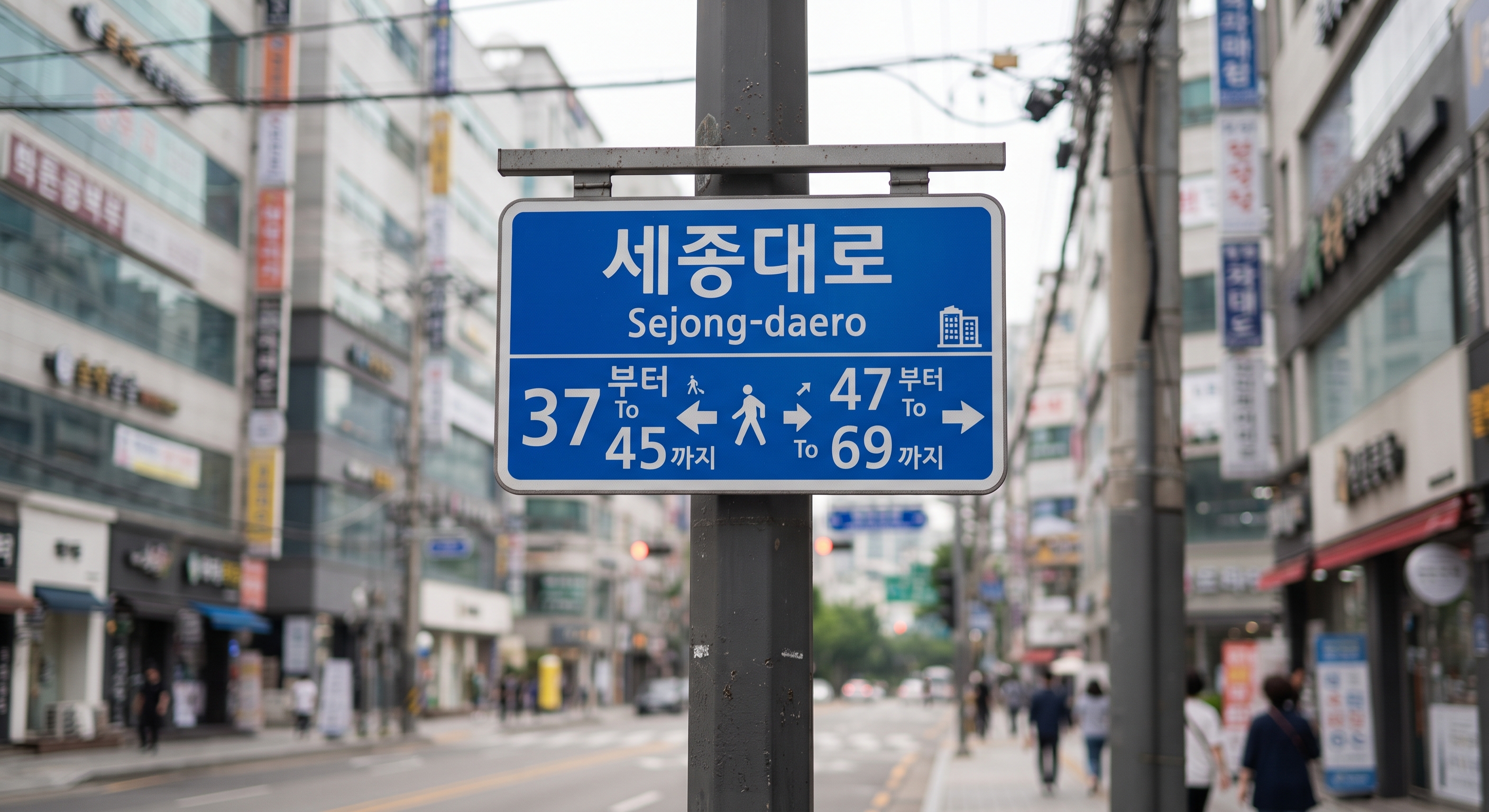
Street signs show both the current building number range and often have arrows pointing to nearby number ranges, making it reasonably easy to navigate on foot once you understand the system.
Using Addresses in Kakao T and Other Taxi Apps
This is where theory meets practice. When you’re standing on a Seoul sidewalk trying to get a taxi, you need to know how to enter your destination correctly.
Why Place Names Work Better Than Addresses
The single best tip: Don’t type the full address. Search by the place name in Korean (or English if it’s a major landmark). Kakao T, Naver Map, and KakaoMap all have extensive databases of business names, tourist sites, and landmarks.
For example, searching “홍대입구역” (Hongdae Ipgu Station) or even “Hongdae Station” works far better than typing out the full road address. For restaurants or cafes, copy the Korean name directly from Google or your reservation confirmation.
When You Must Use an Address
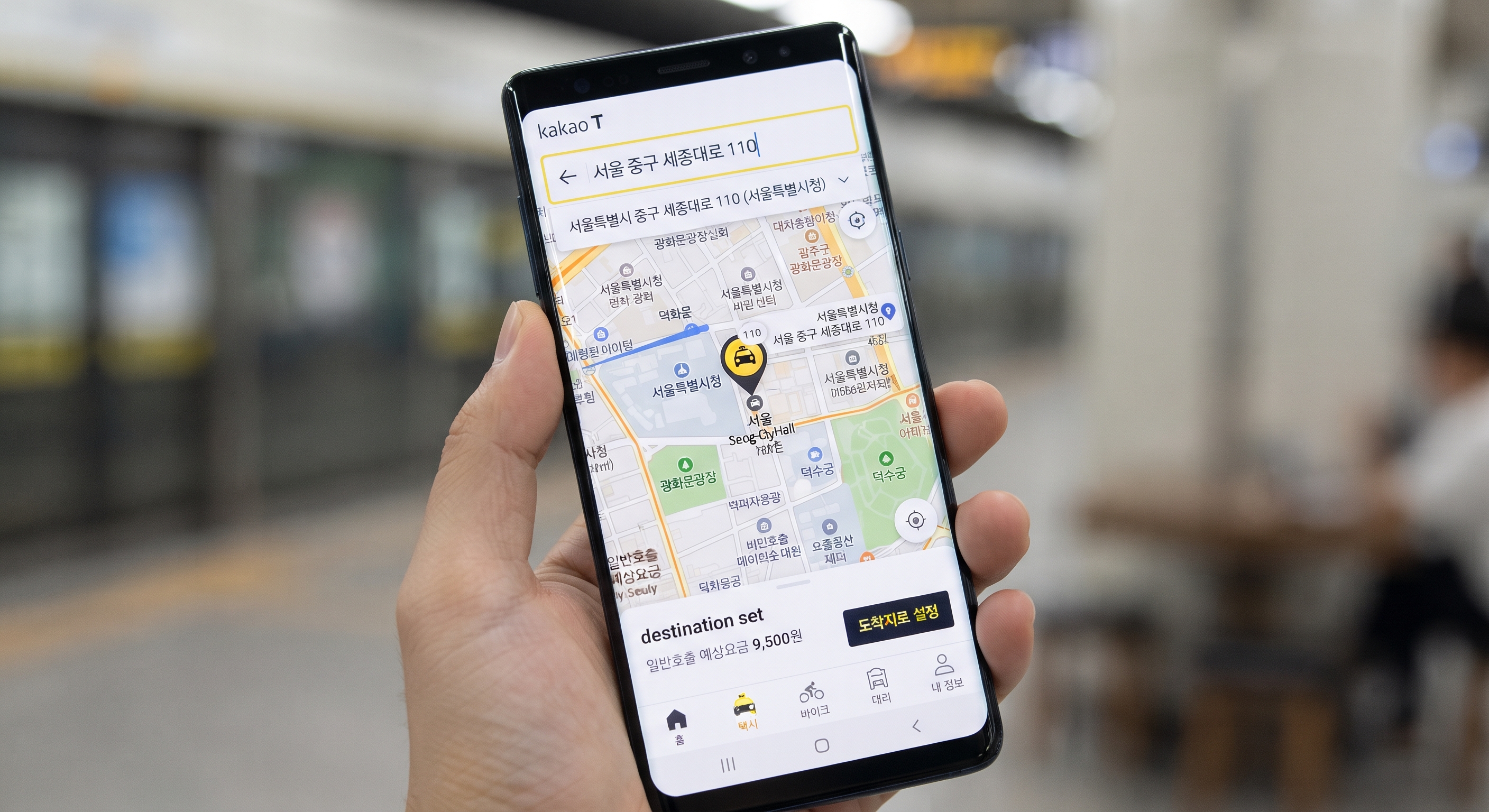
If you absolutely need to enter an address (say, for a private apartment or small guesthouse), follow these steps:
- Use the road-name format, not the old land-parcel system
- Copy-paste is your friend—have the address in Korean text ready to paste
- In Kakao T, tap the destination field, paste the address, and select from the autocomplete suggestions
- Verify on the map that the pin is in the right spot before confirming
💡 Tip: Always double-check the map location before requesting your ride. Even correct addresses can have slightly misplaced pins, especially for newer buildings.
What to Do When Addresses Fail
Even with the improved system, you’ll occasionally hit snags. Here’s your backup toolkit:
Use “Share Location” Features
Most Korean map apps (Naver Map, KakaoMap) let you share your exact GPS coordinates as a link. You can send this via KakaoTalk to your taxi driver or paste it into the app.
Learn the Korean for “Near [Landmark]”
The phrase “[Place name] 근처” (geuncheo, meaning “near”) is incredibly useful. If your destination is hard to find, tell the driver a nearby subway station or major building: “홍대입구역 근처” means “near Hongdae Station.”
Keep Your Accommodation Card
Many hotels and guesthouses provide business cards with their address in Korean. Keep one with you at all times. Showing this card to a taxi driver is often more reliable than any app entry.
Practical Comparison: Address Formats
Here’s how the same location looks in both systems:
| System | Format | Example |
|---|---|---|
| Road-name (new) | City › District › Road › Number | 서울시 종로구 종로 1 |
| Land-parcel (old) | City › District › Neighborhood › Parcel | 서울시 종로구 세종로 1-1 |
The road-name version is now standard on all official signage, government documents, and modern apps. But taxi drivers over 50 may still think in terms of the old system, so having the place name ready matters more than having a perfect address.
App-Specific Tips for Travelers
Kakao T is the dominant taxi app and works well for most destinations. Set your language to English in settings—the interface translates, but you can still search in Korean when needed.
Naver Map often has better building-level detail than Google Maps in Korea. It shows the new address system clearly and includes photos of building entrances for tricky locations.
KakaoMap integrates seamlessly with KakaoTalk and Kakao T, making it easy to share locations between apps and friends.
All three apps work offline for basic map viewing if you download the area in advance, but you’ll need data for search and navigation.
Final Navigation Tips for Your Trip
Understanding the address system helps, but smooth navigation in Korea comes down to a few practical habits:
- Screenshot your destination (name in Korean + map view) before heading out
- Know the nearest subway station to anywhere you’re going—it’s the universal reference point
- Download Naver Map even if you prefer Google Maps; it’s more reliable in Korea
- Have a portable WiFi device or local SIM so you can look things up on the spot
The Korean address system isn’t inherently complicated—it’s actually more logical than the old one—but the transition period and language barrier create friction. With these strategies, you’ll navigate Korean cities with far less stress and spend more time enjoying your trip instead of wandering in circles looking for building numbers that seem to be in random order.